Grid Girl MT4 – Multi-Pair Adaptive Grid EA with News Filter
Grid Girl MT4 EA is a multi-currency grid trading robot for MetaTrader 4. It trades pairs such as EURUSD, AUDCAD, GBPAUD, AUDNZD and EURCHF on the M30 chart, uses RSI, Momentum and Bollinger Bands for its entries, and changes the distance between grid orders with market volatility.
A news filter pauses new trades around high-impact events such as interest rate decisions, CPI and Non-Farm Payrolls. The robot also has update protection, so you can restart or update the EA without closing the trades that are already open. Because it is a grid system, risk can build up when price trends against open trades – this page explains that risk clearly.
The version on Unlock EA is Grid Girl MT4 EA V2. It needs no DLL files and comes with an unlimited license and free updates. Below you will find the specifications, how the adaptive grid works, the main settings, a safe starting setup, the risks, and an install guide.
Grid Girl MT4 – Key Specifications
| Platform |
MetaTrader 4 (MT4) |
| Pairs |
EURUSD, AUDCAD, GBPAUD, AUDNZD, EURCHF |
| Timeframe |
M30 |
| Method |
Grid with volatility-based spacing |
| Indicators |
RSI, Momentum, Bollinger Bands |
| News filter |
Yes – uses the Investing.com news feed |
| Update protection |
Restart or update without closing open trades |
| Minimum deposit |
$1,000 |
| DLL |
Not required |
| VPS |
Strongly recommended |
What Is Grid Girl?
Grid Girl is a grid EA with a smarter way of spacing its orders. A simple grid robot opens extra orders at a fixed distance when price moves against the first trade. Grid Girl measures volatility in real time and widens or narrows that distance to match. In a calm market the orders can sit closer together. In a fast market they are spread further apart, so the grid does not fill up too quickly during a sharp move.
Entries come from three common indicators. RSI looks for overbought and oversold levels, Momentum checks the strength of the move, and Bollinger Bands show changes in volatility. The developer describes the grid logic as AI-driven and adaptive. In practice, what you will see is a robot that often opens trades near the edges of a range and closes the basket when price returns.
The pair list is not random. AUDCAD, AUDNZD and EURCHF are known for spending a lot of time in ranges, which suits a grid approach. EURUSD and GBPAUD add more movement. Running several pairs gives more trading opportunities, but it also means several grids can be open at the same time.
It helps to understand why grids look so good for long periods. Most of the time, currency pairs move up and down inside a range. A grid takes advantage of this: each time price returns, the basket closes with a small profit. Many small wins build a smooth equity curve. The problem comes on the day the range breaks and price keeps going in one direction. Then the grid keeps adding orders, the floating loss grows, and one basket can cost more than many weeks of small wins. Grid Girl’s adaptive spacing and news filter are designed to make that day less likely and less damaging, but they cannot remove it. Your lot size and stop loss decide how much that day costs.
Grid Girl Live Results
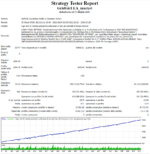
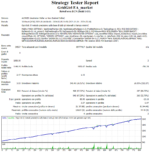
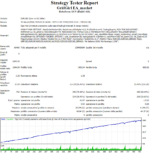
At the time of writing there is no public live signal for Grid Girl MT4 that we can link to and verify. We do not show claimed growth figures or tester profits here, because they cannot be confirmed from a working public account.
For a grid robot, the most important number is the worst floating drawdown, not the profit. Run Grid Girl on demo with your planned pairs for several weeks and note the largest open loss and the highest number of grid orders on one pair. If you plan to run all five pairs, test all five together, because their drawdowns can add up on the same day. Also note how long the longest basket stayed open. A basket that needs a week to close pays a week of swap, and that cost is part of the real result.
Will Grid Girl Work for Me?
This EA is a good match if you:
- understand grid trading and accept that floating losses can be large,
- want an EA for range-friendly pairs like AUDCAD, AUDNZD and EURCHF,
- have at least $1,000 and will start with small lots,
- value a news filter that pauses trading around big events,
- can run MT4 on a VPS 24/5.
It is not a good match for very small accounts, for traders who want a fixed stop loss on every single trade with no averaging, or for prop firm challenges with strict daily loss limits, unless you set a tight stop loss. It is also not for MetaTrader 5 – this version is for MT4 only.
How Grid Girl Trades
Step 1 – Measure volatility
The EA measures how much the market is moving in real time. This value is used later to decide the distance between grid orders.
Step 2 – Look for an entry with three indicators
RSI checks for overbought and oversold conditions, Momentum checks the strength of the move, and Bollinger Bands show whether volatility is expanding or contracting. When the conditions agree, the EA opens the first trade.
Step 3 – Check the news filter
Before high-impact events such as rate decisions, CPI or Non-Farm Payrolls, the news filter stops new trades. This helps avoid opening a grid just before a large spike.
Step 4 – Build the grid if price moves against it
If price moves the wrong way, the EA adds orders at a distance based on current volatility. Wider spacing in fast markets slows down how quickly the grid fills.
Step 5 – Close the basket
When price returns enough, the whole basket closes at the target. If you have set a stop loss, the basket can also close at a loss before the drawdown grows too large.
Key Features of Grid Girl
Volatility-based grid spacing
The distance between orders adapts to the market, so the grid is less likely to fill up in a sudden move than a fixed-step grid.
Three-indicator entries
RSI, Momentum and Bollinger Bands work together, so the first trade is not opened on a single signal.
Multi-pair trading
Run it on EURUSD, AUDCAD, GBPAUD, AUDNZD and EURCHF to spread opportunities across different markets.
News filter
Uses the Investing.com news feed to pause new trades around high-impact events.
Update protection
You can restart MT4 or update the EA without closing open trades. The robot picks up its existing positions again.
Customisable risk
Lot size, grid distance, indicator thresholds, stop loss and take profit can all be adjusted.
Trading hours and pair control
You decide when the EA trades and which pairs it uses, for example to skip the rollover hour or to trade only the calmer pairs.
Grid Girl Settings Explained
The exact default values for V2 are not listed in our product details, so we describe each group of settings by what it does. Open the inputs window in MT4 to see the current values.
1. Lot size and grid distance
These inputs control the size of each trade and the spacing between grid orders. The lot size is the most important risk setting. Start with the smallest lot. A wider grid distance means fewer orders in a trend.
2. News filter sensitivity
Sets how strict the news pause is – for example which events count and how long the EA waits before and after them. A stricter filter means fewer trades but less news risk.
3. Indicator thresholds
The RSI levels, Momentum settings and Bollinger Bands values that decide entries. Change these only after testing, because they affect how often the grid starts.
4. Stop loss and take profit
Exit levels for the basket. Setting a stop loss is the best way to cap the loss of a grid. Without one, a basket can stay open and grow in a strong trend.
5. Trading hours and pairs
Controls when the EA is allowed to trade and on which symbols. Times are in broker server time.
A simple rule for changing settings: change one thing at a time, and test each change for at least two weeks on demo. If you widen the grid distance and lower the lot at the same time, you will not know which change helped. Keep a short note of every change and the drawdown that followed. Over a few months this log becomes the most useful guide to running Grid Girl on your broker, because spread, swap and execution are different everywhere.
Recommended Starting Setup
- Charts: one M30 chart per pair – start with one or two pairs
- Pairs to start: range-friendly pairs such as AUDCAD or EURCHF
- Account: ECN or raw spread with low swap
- Balance: $1,000 or more
- Lot: the smallest lot your broker allows
- Grid distance: keep the volatility-based default
- Stop loss: set one – do not run the grid without a limit
- News filter: ON
- VPS: yes
Start small and grow slowly. Run Grid Girl on one or two pairs on demo for a few weeks, then add more pairs only if the combined drawdown stays within your limit. AUDCAD, AUDNZD and EURCHF share some currencies, so they can sometimes move together; check this on demo. Keep a basket stop loss, and consider stopping new trades before the weekend if your broker’s Monday open often gaps.
It is also worth deciding your personal limits before you start. For example, decide the largest drawdown you will accept on the whole account – say 20% – and what you will do if it is reached: close all baskets, lower the lot, or pause the EA for a week. Writing this down before you go live stops you from making emotional decisions while a grid is deep in loss. Many grid accounts are lost not by the EA itself, but by traders who raise the lot to “recover faster” after a bad basket. Keep the lot the same after a loss and let the account recover at its normal pace.
Is Grid Girl Safe?
Grid Girl is a grid EA, so it has higher risk than a single-trade robot:
- Grid risk. The EA adds orders as price moves against the first trade. In a long trend this can create large floating losses.
- Several pairs at once. Running five pairs means several grids can be open together, and their losses add up.
- Range breaks. Range pairs can suddenly start trending, for example after a central bank surprise.
- Swap costs. Grid baskets can stay open for days, so swap matters.
- News filter limits. It pauses new trades, but open grids are still exposed to news spikes.
- No public live record. There is no working public signal to check.
How to reduce the risk: use small lots, set a stop loss, keep enough free margin, start with fewer pairs, leave the news filter on, run it on a VPS, and only trade money you can afford to lose.
Strengths and Limitations
| Strengths |
Limitations |
| Grid spacing adapts to volatility |
Grid can build large floating losses in trends |
| Three-indicator entries |
Several pairs can be in drawdown together |
| News filter for high-impact events |
Open baskets are still exposed to news spikes |
| Update protection keeps open trades |
Needs $1,000 or more and small lots |
| Works on range-friendly pairs |
Range pairs can break into trends |
| Fully adjustable risk settings |
No public live signal to verify |
Who Should Use Grid Girl?
- Grid traders who want a more adaptive grid than a fixed-step robot.
- Range traders who like pairs such as AUDCAD, AUDNZD and EURCHF.
- Multi-pair users who want one EA across several markets.
- Careful risk managers who will set a stop loss and keep lots small.
- VPS users who can keep MT4 online all week.
It is not for beginners with small accounts, for traders who cannot accept large floating losses, or for anyone expecting steady profit with no risk.
What You Get (Download Package)
- Grid Girl MT4 EA V2 for MetaTrader 4 (.ex4)
- No DLL required
- Unlimited license – use it on as many accounts as you like
- Lifetime access and free future updates
- Instant download after payment
How to Install Grid Girl on MT4
- Download the EA file from your Unlock EA account after checkout and extract it if needed.
- In MetaTrader 4, open File → Open Data Folder → MQL4 → Experts and paste the .ex4 file there.
- Restart MT4, or right-click Expert Advisors in the Navigator and choose Refresh.
- Open a chart of a supported pair, for example EURUSD, and set it to M30.
- Drag Grid Girl onto the chart, set the lot size, grid distance and stop loss, and click OK.
- Click the AutoTrading button in the MT4 toolbar so it turns green. If the news filter needs web access, allow it in Tools → Options → Expert Advisors.
- Run it on a VPS and test on demo first.
Looking for other robots? Browse all MT4 Expert Advisors on Unlock EA.
Frequently Asked Questions (FAQ)
1. What is Grid Girl MT4?
A multi-currency grid robot for MetaTrader 4 that uses RSI, Momentum and Bollinger Bands for entries and volatility-based grid spacing.
2. Does it use grid?
Yes. It opens a grid of orders with spacing that changes with volatility.
3. Which pairs does it trade?
EURUSD, AUDCAD, GBPAUD, AUDNZD and EURCHF.
4. Which timeframe should I use?
M30.
5. What is the minimum deposit?
$1,000, with small lots at the start.
6. Does it avoid news?
Yes. The news filter pauses new trades around high-impact events such as rate decisions, CPI and NFP.
7. Can I update the EA with open trades?
Yes. Update protection lets you restart or update without closing open trades.
8. Should I use a stop loss?
Yes. A stop loss is the best way to cap the loss of a grid basket in a strong trend.
9. Is there a live signal?
There is no public live signal that we can link to and verify at the moment.
10. Do I need a VPS?
Yes. Open grids need to be managed at all times.
11. Does it need a DLL?
No. It runs without DLL files.
12. Does it work on MT5?
No. This version is for MetaTrader 4 only.
Conclusion
Grid Girl MT4 is an adaptive grid robot for EURUSD, AUDCAD, GBPAUD, AUDNZD and EURCHF on M30. Its strong points are the volatility-based grid spacing, the three-indicator entries, the news filter and update protection. Its main risk is the one every grid shares: in a strong trend, floating losses can grow large. Start with one or two pairs, use the smallest lot and a stop loss, keep the news filter on, run it on a VPS, and test it on demo before going live.
Risk warning: Forex trading carries a high level of risk, and grid strategies can cause large losses in strong trends. Past performance does not guarantee future results.




Reviews
Clear filtersThere are no reviews yet.