EA Ice Cube Scalper MT4 – RSI Trend Scalper with Averaging for H1
EA Ice Cube Scalper EA MT4 is a day-trading scalper for MetaTrader 4 that runs on the H1 timeframe. It reads the trend with the RSI indicator, opens trades only in that direction and aims to take a few points per trade. If price moves against the first trade, it can add averaging orders with a lot multiplier, which works like martingale – so risk limits are very important.
The robot is designed to make many small trades during the day. Most of them close quickly with a small profit. When the market does not cooperate, averaging orders lower the average entry price so that a smaller move back can close the group in profit. This is what gives averaging systems a high win rate, and also what makes them risky in a long one-way move. This page explains both sides and shows you how to set the limits.
The version on Unlock EA is EA Ice Cube Scalper V3.3. It needs no DLL files and comes with an unlimited license. Below you will find the specifications, how the robot trades, its main inputs, a careful starting setup, the real risks of averaging, and a step-by-step install guide.
EA Ice Cube Scalper – Key Specifications
| Platform |
MetaTrader 4 (MT4) |
| Main pair |
EURUSD (can also be used on other pairs) |
| Timeframe |
H1 |
| Method |
RSI trend-following scalping with averaging and lot multiplier |
| Grid / Martingale |
Averaging orders; a multiplier above 1.0 works like martingale |
| Starting lot |
0.01 per $1,000 of balance |
| Minimum deposit |
$1,000 (cent account if your balance is lower) |
| Leverage |
1:500 |
| Extra controls |
Max trades, trade timeout, Friday close, pause new entries |
| DLL |
Not required |
| VPS |
Recommended |
What Is EA Ice Cube Scalper?
EA Ice Cube Scalper is a trend-following scalper. It uses the Relative Strength Index (RSI) to decide the direction of the trend on the H1 chart, and it only opens trades in that direction. The idea is to trade with the market’s main push and take small, frequent profits instead of waiting for large moves.
When a trade goes against the trend reading, the robot does not close it at once. It can open averaging orders at a set step. The size of these extra orders can grow with the lot multiplier. Because the average entry price moves closer to the current price with each new order, the whole group needs only a small pullback to close in profit.
The robot includes several controls to keep this in check. You can cap the number of open trades, close trades that stay open too long, set the last trading time on Friday, close all positions before the weekend and pause new entries while existing trades finish. Used carefully, these tools turn the averaging method into something you can manage. Used carelessly, a long trend can still produce a deep drawdown.
EA Ice Cube Scalper Live Results
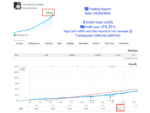
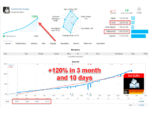
At the time of writing there is no public live signal with current data shown for this version, so no live figures appear on this page. You will need to test the robot yourself.
How to test an averaging scalper
Start in the MT4 Strategy Tester on EURUSD H1, using good tick data and a period that includes strong trends as well as ranges. For an averaging robot, the final profit is not the key number. Look at the maximum equity drawdown, the highest number of trades open at the same time and the largest total lot reached. These show how close the account came to real trouble.
Then run it on a demo or cent account with your broker for at least one to two months. Compare the worst moments of the forward test with the backtest. If you see many averaging orders in a row, lower the multiplier or the Max_Trades value before going live.
Will EA Ice Cube Scalper Work for Me?
This EA is a good match if you:
- want a day-trading scalper that follows the trend with RSI,
- understand averaging and martingale and accept their risks,
- can keep about $1,000 per 0.01 lot, or use a cent account,
- have a broker with 1:500 leverage and low spreads,
- will set Max_Trades and the multiplier to safe values,
- can run MetaTrader 4 on a VPS.
It is not a good match if you want one trade with a fixed stop loss, if you trade a prop firm account with strict daily loss limits, or if you cannot accept a deep drawdown during a strong trend.
How EA Ice Cube Scalper Trades
Step 1 – Read the trend with RSI
On the H1 chart, the robot uses RSI to decide whether the market is trending up or down. It only allows trades in that direction.
Step 2 – Open the first trade
When the conditions are met, it opens a trade with the start lot. The guideline is 0.01 lot per $1,000 of balance.
Step 3 – Add averaging orders if needed
If price moves against the trade by the order step, the robot can add an averaging order. The step can be fixed (Orders_Step) or dynamic (SmartStep), and the lot can grow with Lot_Multiplier.
Step 4 – Close the group in profit
Because the average entry improves with each order, a small move back toward the trend can close the group with a few points of profit.
Step 5 – Apply the time limits
If UseTimeOut is on, trades that stay open longer than MaxTradeOpenHours are closed. On Friday, trading stops at the set time, and with Inp_Friday_Close all trades close at 23:59 before the weekend.
Key Features of EA Ice Cube Scalper
RSI trend filter
Entries only follow the trend read by RSI. Trading with the trend gives the averaging method a better chance to recover.
Frequent small profits
The robot aims for a few points per trade and many trades during the day, which suits a scalping style.
Averaging with lot multiplier
Averaging orders lower the average entry price. The multiplier decides how fast the lot grows – and how fast the risk grows.
Fixed or smart step
The distance between averaging orders can be fixed or dynamic. A dynamic step can adapt to changing volatility.
Max_Trades cap
You can limit the number of open positions. This is the most direct way to cap the risk of the averaging method.
Trade timeout
Trades that stay open too long can be closed automatically, so a losing group does not stay open forever.
Friday controls
Set the last trading time on Friday and close all trades before the weekend to avoid weekend gap risk.
Pause new entries
Trade_Now lets you stop new trades while the open ones finish – useful before news or when you want to stop the robot cleanly.
EA Ice Cube Scalper Settings Explained
The table lists the main inputs. We could not confirm every default value for this version, so values not given here should be checked in the inputs window.
1. Lots and averaging
| Setting |
Default |
What it does |
| Start_Lot |
Check in inputs |
Lot of the first trade. Guideline: 0.01 per $1,000. |
| Lot_Multiplier |
Check in inputs |
Growth of each averaging order. Above 1.0 works like martingale. |
| Orders_Step |
Check in inputs |
Fixed distance between averaging orders. |
| SmartStep |
Check in inputs |
Uses a dynamic step instead of a fixed one. |
| Max_Trades |
Check in inputs |
Maximum number of open positions. |
Lot_Multiplier and Max_Trades work together. A high multiplier with many allowed trades can create a very large total lot. Keep Max_Trades low and the multiplier modest, and calculate the total lot of a full grid before you go live.
2. Time controls
| Setting |
Default |
What it does |
| UseTimeOut |
Check in inputs |
Turns the trade timeout on or off. |
| MaxTradeOpenHours |
Check in inputs |
Hours after which open trades are closed. |
| Friday_Trading_Hour / Minute |
Check in inputs |
Last time new trades can open on Friday. |
| Inp_Friday_Close |
Check in inputs |
Closes all trades at 23:59 on Friday. |
| Trade_Now |
Check in inputs |
Pauses new entries while open trades finish. |
The timeout and Friday close act as a stop for groups that do not recover. They can close trades at a loss, but they also stop a bad group from growing over many days or carrying weekend gap risk.
Recommended Starting Setup
- Chart: EURUSD, H1
- Account: low spread, 1:500 leverage; cent account below $1,000
- Start_Lot: 0.01 per $1,000 of balance
- Lot_Multiplier: modest, close to 1.0 at first
- Max_Trades: low
- UseTimeOut: on
- Inp_Friday_Close: on
- Other EAs: keep at least $1,000 per 0.01 lot across all robots
- VPS: yes
In practice, start on a cent account or demo and keep the multiplier low. Watch what happens on a strong trend day: how many orders opened, how large the total lot became and how deep the equity fell. If that worst moment is more than you can accept, lower the multiplier or Max_Trades before you go live. Use Trade_Now before big news, so no new group starts just before a spike.
Running it with other EAs
You can run EA Ice Cube Scalper next to other robots, but the balance rule still applies: keep at least $1,000 for each 0.01 lot across all EAs together. Averaging robots use margin as their groups grow, so leave enough free margin for the worst case of every robot at once.
Working out the worst case before you start
Before going live, do a simple calculation. Take your Start_Lot, multiply it by Lot_Multiplier for each averaging order up to Max_Trades, and add the lots together. This is the total position the robot could hold at its worst moment. Then estimate how far price could move against that position – for EURUSD, a 100 to 150 pip move in a few days is not rare. If the loss on that full position would be more than you can accept, the settings are too aggressive. Lower the multiplier, reduce Max_Trades or widen the order step until the worst case fits your account.
It also helps to keep a short weekly log during the first months: number of groups, the largest number of orders in one group, the deepest equity drawdown and whether the timeout or Friday close had to close a group at a loss. After a few weeks, these notes show clearly whether your settings match your risk tolerance, and they make later changes much easier to judge.
Is EA Ice Cube Scalper Safe?
This robot uses averaging with a lot multiplier, so the risks are real:
- Martingale-style growth. With a multiplier above 1.0, each averaging order is larger, and the total lot can grow fast.
- Deep floating drawdown. Losing groups are held open, so equity can fall far below the balance.
- Strong trends. If price keeps moving against the group, the averaging method keeps adding risk until a limit is hit.
- Margin use. Many open orders use margin; a small balance can face a margin call.
- Timeout losses. The timeout and Friday close can close groups at a loss – that is their job, but it means some weeks end red.
- No live record here. You must test it yourself.
How to reduce the risk: keep the multiplier low, cap Max_Trades, use the timeout and Friday close, follow the $1,000 per 0.01 lot rule, start on a cent account, pause before major news and use a VPS.
Strengths and Limitations
| Strengths |
Limitations |
| Trades with the RSI trend only |
Averaging with multiplier works like martingale |
| Frequent small profits |
Deep floating drawdowns in strong trends |
| Max_Trades cap and trade timeout |
Needs about $1,000 per 0.01 lot |
| Friday close avoids weekend gaps |
Not suited to strict prop firm limits |
| Fixed or smart averaging step |
Settings must be chosen carefully |
| Trade_Now pause for news |
No public live signal shown here |
Who Should Use EA Ice Cube Scalper?
- Experienced averaging traders who understand martingale risks.
- Day-trading fans who like many small trades.
- Cent account users who want to test with small real risk.
- Disciplined users who will set Max_Trades, timeout and Friday close.
- VPS users who can keep the robot running 24/5.
It is not for beginners who do not understand averaging, for accounts below $1,000 on standard lots, or for anyone who needs a stop loss on every single trade.
What You Get (Download Package)
- EA Ice Cube Scalper V3.3 for MetaTrader 4 (.ex4)
- No DLL required
- Unlimited license – use it on as many accounts as you like
- Lifetime access and free future updates
- Instant download after payment
How to Install EA Ice Cube Scalper on MT4
- Download the EA file from your Unlock EA account after checkout and extract the .ex4 file.
- In MetaTrader 4, open File → Open Data Folder → MQL4 → Experts and paste the .ex4 file there.
- Restart MT4, or right-click Expert Advisors in the Navigator and choose Refresh.
- Open a EURUSD chart and set it to H1.
- Drag EA Ice Cube Scalper onto the chart, set Start_Lot (0.01 per $1,000), a low Lot_Multiplier and Max_Trades, then click OK.
- Click the AutoTrading button in the MT4 toolbar so it turns green.
- Test in the Strategy Tester and on demo or cent first, then move to live with a small lot.
Looking for other robots? Browse all MT4 Expert Advisors on Unlock EA.
Frequently Asked Questions (FAQ)
1. What is EA Ice Cube Scalper?
A day-trading scalper for MetaTrader 4 on H1 that follows the RSI trend and uses averaging orders with a lot multiplier.
2. Does it use martingale?
It uses averaging orders with a lot multiplier. With a multiplier above 1.0 this works like martingale.
3. Which pair and timeframe should I use?
EURUSD on H1 is the main setup.
4. What balance do I need?
About $1,000 per 0.01 lot. Use a cent account if your balance is lower.
5. What leverage is recommended?
1:500.
6. How do I limit the risk?
Keep Lot_Multiplier low, cap Max_Trades, turn on UseTimeOut and the Friday close.
7. What does Trade_Now do?
It pauses new entries while open trades finish, which is useful before news or when stopping the robot.
8. Does it close trades before the weekend?
Yes, with Inp_Friday_Close it closes all trades at 23:59 on Friday.
9. Can I run it with other EAs?
Yes, but keep at least $1,000 for each 0.01 lot across all EAs.
10. Is there a live signal?
No public live signal is shown here. Test it in the Strategy Tester and on demo first.
11. Does it work on MT5?
No. This version is for MetaTrader 4 only.
12. Does it need a DLL?
No. The version on Unlock EA runs without DLL files.
Conclusion
EA Ice Cube Scalper is an RSI trend-following scalper for MT4 on H1 that aims for small, frequent profits. Its averaging orders with a lot multiplier give a high win rate in normal markets, but they work like martingale and can create deep drawdowns in a strong trend. The robot gives you the tools to control this – Max_Trades, a trade timeout, Friday close and a pause switch – and how safe it is depends on how you use them. Follow the $1,000 per 0.01 lot rule, keep the multiplier low, start on a cent account and run it on a VPS.
Risk warning: Forex trading carries a high level of risk, and averaging or martingale methods can cause large losses. Past performance does not guarantee future results.










Reviews
Clear filtersThere are no reviews yet.