Gann Swing Structure MT4 – Swing and Market Structure Indicator for Any Chart
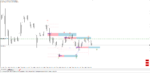
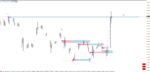
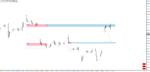
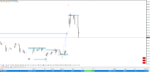
Gann Swing Structure MT4 is a trading indicator for MetaTrader 4 that draws swing and structure information directly on your chart, so you can read the direction of the market faster. It works on any symbol and any timeframe. It does not open trades by itself – it is a manual trading tool that helps you decide where to enter, where to place your stop loss and where to take profit.
The idea behind the indicator comes from W.D. Gann’s swing chart method: instead of looking at every single candle, you follow the sequence of swing highs and swing lows. When price keeps making higher highs and higher lows, the structure is up. When it makes lower highs and lower lows, the structure is down. When a swing level breaks, the structure may be changing. The version on Unlock EA is Gann Swing Structure V1.2, needs no DLL files, and comes with an unlimited license and free updates.
On this page you will find the key specifications, what swing structure means in practice, how to use the indicator step by step, how to think about its inputs, a recommended starting setup, the honest limits of any swing indicator, and an install guide for MT4.
Gann Swing Structure – Key Specifications
| Platform |
MetaTrader 4 (MT4) |
| Type |
Indicator (manual trading tool) |
| Symbols |
All pairs and symbols offered by your broker |
| Timeframe |
Any |
| What it shows |
Swing and structure signals and levels on the chart |
| Opens trades |
No – you decide entry, stop loss and take profit |
| Suggested account balance |
$100 or more for trading the signals manually |
| DLL |
Not required |
| VPS |
Not needed for an indicator (only if you want the chart always on) |
What Is Gann Swing Structure?
Gann Swing Structure is a chart tool for traders who think in terms of swings. A swing is a move from a low to a high, or from a high to a low. If you connect these points, you get a cleaner picture of the market than raw candles give you. Small, noisy moves are ignored, and the important turning points stand out. This is the core of the swing chart idea that W.D. Gann used many decades ago, and it is still one of the simplest ways to describe trend.
The indicator draws its signals and levels on the chart for you. That saves you from marking swing highs and lows by hand on every chart and every timeframe. It also makes your analysis more consistent: the same rules are used every time, so two traders looking at the same chart with the same settings will see the same structure.
Because it is an indicator and not an Expert Advisor, it does not trade. It gives you information. You still need a trading plan: which signals you take, where your stop goes, what your target is, and how much you risk. Used this way, the indicator becomes a filter and a map, not an automatic money machine.
Gann Swing Structure Live Results
Gann Swing Structure is an indicator, so there is no public live trading signal for it. An indicator cannot have its own trading record, because the results depend on how each trader uses its signals – which entries are taken, where stops are placed, how much is risked, and which symbols and timeframes are traded.
The best way to judge it is to use it yourself. Open a few charts you know well, look back at recent history, and see whether the swing levels the indicator draws match the turning points you would have marked by hand. Then use it on a demo account for a few weeks and keep a simple journal of the signals you take and their outcome.
Will Gann Swing Structure Work for Me?
This indicator is a good match if you:
- trade manually and want help reading market structure,
- like swing highs and lows as the base of your analysis,
- trade any symbol – Forex pairs, gold, indices or others offered on MT4,
- use several timeframes and want the same tool on each one,
- want a cleaner chart that shows the main turning points,
- are willing to combine it with your own risk rules.
It is not a good match if you want a robot that trades for you, if you expect every signal to win, or if you do not want to make your own decisions about stop loss and take profit.
How to Use Gann Swing Structure
Step 1 – Find the current structure
Attach the indicator to your chart and look at the latest swing points. Ask a simple question: is price making higher highs and higher lows, lower highs and lower lows, or neither? This tells you whether you should be looking for buys, sells, or staying out.
Step 2 – Check a higher timeframe
Open the same symbol on a higher timeframe and look at the structure there too. A buy signal on M15 is stronger when the H1 or H4 structure is also up. When the timeframes disagree, it is often better to wait.
Step 3 – Wait for a signal or a level
Use the signals and levels the indicator draws as your trigger points. In an up structure, many traders wait for price to pull back toward a level and then turn up again. In a down structure, they wait for a rally that fails.
Step 4 – Place the stop behind structure
A swing low is a natural place for a stop below a buy, and a swing high is a natural place for a stop above a sell. If price breaks that point, the structure that supported your trade is no longer valid.
Step 5 – Set a target and manage the trade
The previous swing high or low on the other side is a common first target. Some traders move the stop behind each new swing as the trade goes in their favour. Decide your rule before you enter and keep it the same on every trade.
A simple example
Imagine EURUSD on H1. The indicator shows a swing low, then a higher high, then a higher low. The structure is up. You check H4 and it is also making higher lows, so you only look for buys. Price pulls back toward the last higher low and starts to turn up again. You buy, place the stop a little below that swing low, and set the first target at the last swing high. If price breaks below the swing low instead, the up structure has failed, the stop closes the trade, and you wait for the next clear structure. The same logic works in reverse for sells. The value of the indicator in this example is that it marks the swings for you, so your plan is based on clear levels instead of feelings.
Key Features of Gann Swing Structure
Swing structure on the chart
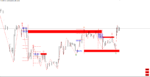
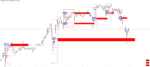
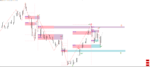
Signals and levels are drawn directly on the price chart, so you can see the market’s turning points at a glance.
Works on any symbol
The tool can be used on all pairs and symbols your broker offers in MT4, from major Forex pairs to gold and indices.
Works on any timeframe
Use it on M5 for intraday trading or on H4 and D1 for swing trading. The same logic applies on every timeframe.
Faster chart reading
Instead of marking highs and lows by hand, you can open a chart and see the structure immediately. This saves time when you scan many symbols.
Consistent analysis
The indicator uses the same rules every time, which removes some of the guesswork and emotion from reading a chart.
Manual control
The indicator never opens trades. You stay in control of every entry, every stop loss and every take profit.
No DLL
The version on Unlock EA runs without DLL imports.
Gann Swing Structure Settings Explained
We do not have a confirmed list of every input name and default value for this version, so we will not invent them. Instead, here is how to think about the kinds of inputs swing indicators usually have. Open the indicator’s inputs tab after you attach it and check each value yourself.
1. Swing sensitivity
| Setting |
Default |
What it does |
| Swing size / sensitivity inputs |
Check in the inputs tab |
Decide how big a move must be before it counts as a new swing. |
If your indicator has a sensitivity input, a smaller value shows more swings and reacts faster, but also gives more false signals. A larger value shows fewer, more important swings, but reacts later. Test different values on your symbol and timeframe before trading.
2. Display
| Setting |
Default |
What it does |
| Colours, line styles, labels |
Check in the inputs tab |
Change how levels and signals look on your chart. |
Choose colours that stand out against your chart background. If you use several indicators, keep the chart clean so the swing levels remain easy to see.
3. Alerts
| Setting |
Default |
What it does |
| Alert options (if available) |
Check in the inputs tab |
Notify you when a new signal or level appears. |
If the version you use has alert options, turn them on for the symbols you trade most. This lets you wait for a setup without watching the screen all day. If it does not, set MT4 price alerts manually at the levels you care about.
Recommended Starting Setup
- Chart: one or two symbols you already know well
- Timeframes: one trading timeframe plus one higher timeframe for direction
- Inputs: start with the default values, then adjust slowly
- Stop loss: always behind the most recent swing point
- Risk: 1% or less of the account per trade
- Account: demo first, then a small live account
- Journal: record every signal you take and the result
In practice, the most useful thing you can do in the first weeks is to scroll back through history and study how the indicator behaved in different conditions – a strong trend, a slow range, and a news spike. You will quickly see where its signals help and where they need a filter. Then build a short written rule set: when you take a signal, where your stop goes, and when you skip. Trade that rule set on demo before using real money.
Is Gann Swing Structure Safe to Use?
An indicator does not risk your money by itself – your trading decisions do. Still, there are limits you should understand:
- Swings are confirmed after the fact. A swing high or low can only be confirmed once price has moved away from it, so every swing tool has some delay.
- Ranges create false breaks. In sideways markets, price can break a swing level and then return, giving a signal that fails.
- News spikes. Large news candles can create swings that do not reflect the normal structure.
- Settings matter. Different sensitivity values can change the structure you see quite a lot.
- No trading record. As an indicator, it has no live signal to prove performance.
- Your risk rules decide the result. Without a stop loss and position sizing, no indicator can protect your account.
How to reduce the risk: confirm signals on a higher timeframe, avoid trading right before major news, always use a stop loss behind structure, keep risk per trade small, and test your rules on demo first.
Strengths and Limitations
| Strengths |
Limitations |
| Clear view of swing highs and lows |
Swings are confirmed with some delay |
| Works on any symbol and timeframe |
False signals in sideways markets |
| Saves time when scanning many charts |
Does not trade automatically |
| Natural stop loss levels behind structure |
Results depend on your own trading plan |
| Same rules every time, less guesswork |
Input list and defaults should be checked by you |
| No DLL required |
No live record, as with any indicator |
Who Should Use Gann Swing Structure?
- Price action traders who base decisions on highs, lows and structure.
- Swing traders on H4 and D1 who want a clean trend map.
- Intraday traders who want structure on lower timeframes, confirmed by a higher one.
- Multi-market traders who scan Forex, gold and indices with one tool.
- Learning traders who want to understand market structure by seeing it drawn on the chart.
It is not for traders who want an automated robot, or for those who will not use a stop loss and a fixed risk per trade.
What You Get (Download Package)
- Gann Swing Structure V1.2 for MetaTrader 4 (.ex4)
- No DLL required
- Unlimited license – use it on as many accounts as you like
- Lifetime access and free future updates
- Instant download after payment
How to Install Gann Swing Structure on MT4
- Download the indicator file from your Unlock EA account after checkout.
- In MetaTrader 4, open File → Open Data Folder → MQL4 → Indicators and paste the .ex4 file there.
- Restart MT4, or right-click Indicators in the Navigator and choose Refresh.
- Open the chart and timeframe you want to analyse.
- Drag Gann Swing Structure from the Navigator onto the chart.
- Check the inputs and colours in the settings window, then click OK.
- Save the chart as a template if you want to load the same setup on other charts quickly.
Looking for more chart tools? Browse all MT4 Indicators on Unlock EA.
Frequently Asked Questions (FAQ)
1. What is Gann Swing Structure?
A MetaTrader 4 indicator that draws swing and structure signals and levels on the chart, based on the swing chart idea of W.D. Gann.
2. Does it open trades automatically?
No. It is a manual trading tool. You decide the entry, stop loss and take profit.
3. Which symbols can I use it on?
All pairs and symbols your broker offers in MT4.
4. Which timeframe is best?
It works on any timeframe. Many traders use one timeframe for entries and a higher one to confirm direction.
5. Does it repaint?
Any swing tool needs price to move away from a high or low before that point is confirmed, so the latest swing can change until it is confirmed. Check this behaviour on your own charts.
6. Is there a live signal?
No. As an indicator, it has no trading record of its own. Results depend on how you use it.
7. Where should I place my stop loss?
A common rule is behind the most recent swing low for buys or swing high for sells.
8. Can I use it with other indicators?
Yes. It can be combined with your existing tools, such as support and resistance or a trend filter.
9. Do I need a VPS?
No. A VPS is only useful if you want the chart and any alerts running all the time.
10. Does it work on MT5?
No. This version is for MetaTrader 4 only.
11. Does it need a DLL?
No. The version on Unlock EA runs without DLL files.
Conclusion
Gann Swing Structure is a straightforward MT4 indicator for traders who read the market through swings. It draws structure signals and levels on any symbol and timeframe, so you can see the direction of the market and the key turning points faster. It does not trade for you, and like every swing tool it confirms swings with some delay and can give false breaks in ranges. Use it with a clear rule set, confirm with a higher timeframe, place your stop behind structure, and test on demo before trading live.
Risk warning: Trading Forex and other leveraged products carries a high level of risk. Indicators do not guarantee profits, and past performance does not guarantee future results.




Reviews
Clear filtersThere are no reviews yet.