Infinity Trader v1.4 MT4 EA No DLL
Specification
Pair:- XGBPUSD, NZDCAD, USDCAD
Timeframe:- M1, M15
Minimum Deposit:- $200
$247.00 Original price was: $247.00.$20.00Current price is: $20.00.
Payment Methods:
💳 Payment Notice
All Card Payments include a
+30% tax due to processing and gateway charges.
Pay with Crypto to save 30% instantly —
no tax, no hidden fees.
Real Market vs UnlockEA Pricing
Secure Payment
Card and Crypto
Instant Download
After Payment
7-Day Support
and Refund Policy
Description
Infinity Trader v1.4 is an automated Expert Advisor for MetaTrader 4. It trades GBPUSD, NZDCAD and AUDCAD on the M15 chart using price action patterns. The developer describes it as using ChatGPT and Gemini AI for sentiment and fundamental analysis. It includes drawdown protection, a spread filter and a high-impact news filter.
Infinity Trader MT4 – Quick Specs
- Platform: MetaTrader 4 (MT4)
- Pairs: GBPUSD, NZDCAD, AUDCAD
- Timeframe: M15
- Default settings: made for GBPUSD
- Method: price action patterns with AI-based analysis (as described by the developer)
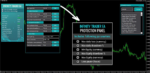
- Protection: drawdown limits, high-spread filter, news filter
How It Works
The EA looks for repeating price patterns to time entries and exits. The developer describes an extra layer that uses ChatGPT and Gemini AI to read market sentiment and fundamentals. It trades fairly often, so spread and execution matter. Account protection lets you set drawdown limits, and filters block trading during high spread and high-impact news.
Main Features
- Price action based entries and exits
- AI-assisted analysis, as described by the developer
- Money management with adjustable drawdown parameters
- Drawdown protection and profit protection
- High-spread protection
- High-impact news filter
- Fully automated
How to Install Infinity Trader on MT4
- Download the EA file from your Unlock EA account after checkout.
- In MetaTrader 4, open File → Open Data Folder → MQL4 → Experts and paste the file there.
- Restart MT4, or right-click Expert Advisors in the Navigator and choose Refresh.
- Open a GBPUSD M15 chart (or NZDCAD / AUDCAD M15) and drag the EA onto it. The default settings are for GBPUSD.
- Click the AutoTrading button in the MT4 toolbar so it turns green.
For backtests, use M15 with every tick. M1 with open prices is a faster but rougher option.
Frequently Asked Questions
Which pairs and timeframe does it use?
GBPUSD, NZDCAD and AUDCAD on M15.
Can I use the default settings on all pairs?
The default settings are made for GBPUSD. The other pairs need their own settings.
Does it have a news filter?
Yes. It can pause trading around high-impact news.
Does it work on MT5?
No. This version is for MetaTrader 4 only.
Additional Resources
- Recommended VPS: low-latency trading with Unlock EA’s VPS hosting.
- VIP Membership: Join our VIP program for free downloads, exclusive resources and premium trading tools.
Risk warning: Forex trading carries a high level of risk. Past performance does not guarantee future results.
Customer Reviews
Related Products
Bonnitta Gold EA V1.33 MT4 | NO DLL
In stock
AI Gen XII v3.0 EA MT4
In stock
Evening Scalper Pro EA V2.56 MT4
In stock
Bitcoin Wizard EA v3.10 MT4
In stock
New Funded EA Quantum + Presets MT4 EA
In stock
Gold Buster V2 MT4 EA
Out of stock

Reviews
Clear filtersThere are no reviews yet.