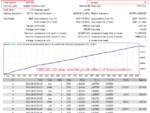
Goldminer AI MT4 EA (Build +1420) | No DLL v1.1
Goldminer AI MT4 EA (Build +1420) | No DLL v1.1 Original price was: $599.00.Current price is: $20.00.
Back to products
CyberVision MT4 EA
CyberVision MT4 EA V1.3 | No DLL Original price was: $699.00.Current price is: $25.00.

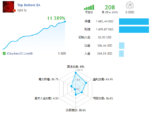
Top Bottom MT4 EA v1.31 No DLL

Specification

Pair:- GBPCAD, EURSGD, GBPCHF
Timeframe:- M1
Minimum Deposit:- $50
No Martingale, No Grid

Original price was: $598.00.Current price is: $20.00.

12 People watching this product now!

Payment Methods:

💳 Payment Notice

All Card Payments include a +30% tax due to processing and gateway charges.
Pay with Crypto to save 30% instantly — no tax, no hidden fees.

Real Market vs UnlockEA Pricing

Market Price (Similar EAs)
$500 – $2500+
UnlockEA Price
$15 – $25 Only
⚙️

Secure Payment
Card and Crypto

⚡

Instant Download
After Payment

🛡️

7-Day Support
and Refund Policy

Description

Top Bottom MT4 EA v1.31 is a volatility-adaptive Expert Advisor for MetaTrader 4. It trades GBPCAD and EURSGD on the M1 chart, opens only one position at a time and protects every trade with a fixed stop loss. It does not use martingale.

Top Bottom MT4 – Quick Specs

  • Platform: MetaTrader 4 (MT4)
  • Pairs: GBPCAD, EURSGD
  • Timeframe: M1
  • Minimum deposit: $20 ($1,000 recommended)
  • Leverage: 1:100 or higher
  • Account type: ECN / raw spread preferred
  • Method: volatility adaptive, single position with fixed stop loss
  • Not used: martingale

How It Works

The EA adjusts its entries to current market volatility. It averages about 3 to 5 trades per day, and a trade is usually held for around 12 hours. Some days it places no trades at all. Every position has a stop loss, so the EA never holds an open trade without protection.

Main Settings

  • Charts: attach to both GBPCAD and EURSGD M1 charts
  • Lots (cautious): 0.03 lots per $1,000
  • Lots (moderate): 0.05 lots per $1,000
  • Other parameters: no changes needed; the developer advises against editing internal settings
  • Brokers: for example IC Markets (preferred), FP Markets or Exness raw/ECN accounts

How to Install Top Bottom EA on MT4

  1. Download the EA file from your Unlock EA account after checkout.
  2. In MetaTrader 4, open File → Open Data Folder → MQL4 → Experts and paste the file there.
  3. Restart MT4, or right-click Expert Advisors in the Navigator and choose Refresh.
  4. Open GBPCAD M1 and EURSGD M1 charts and drag the EA onto each. Set your lot size.
  5. Click the AutoTrading button in the MT4 toolbar so it turns green.

Frequently Asked Questions

Which pairs and timeframe does it use?

GBPCAD and EURSGD on M1.

Does it use martingale or grid?

No. It opens one position at a time with a fixed stop loss.

What is the minimum deposit?

It can start from $20, but $1,000 is recommended.

Does it work on MT5?

No. This version is for MetaTrader 4 only.

Additional Resources

Risk warning: Forex trading carries a high level of risk, and small accounts can lose their balance quickly. Past performance does not guarantee future results.

Customer Reviews

0 reviews
0
0
0
0
0

There are no reviews yet.

Be the first to review “Top Bottom MT4 EA v1.31 No DLL”

Your email address will not be published. Required fields are marked *

1 2 3 4 5
1 2 3 4 5
1 2 3 4 5